LLM Skill
If you use an AI to write code to wrangle or query AEMO data, you can use a 'skill' to tell it how to search an AI-optimised version of this website.
This skill does not use MCP. You do not need to install a cli or plugin. As long as your clanker can browse the web, it can probably use this skill. (Free-tier plans may have overly restrictive sandboxes.)
Example Conversation
Prompt:
Write me a query to calculate the volume-weighted average price across each region of the NEM.
Response:
Here's a SQL query using DISPATCHPRICE (prices) joined to DISPATCHREGIONSUM (demand as the volume weight), per the intervention rule: prices from INTERVENTION = 0, power/energy from the highest INTERVENTION value present.
WITH price AS (
    -- Prices: pricing run only (INTERVENTION = 0)
    SELECT SETTLEMENTDATE, REGIONID, RRP
    FROM DISPATCHPRICE
    WHERE INTERVENTION = 0
      AND SETTLEMENTDATE >= :start_date
      AND SETTLEMENTDATE <  :end_date
),
demand AS (
    -- Power: prefer INTERVENTION = 1 rows where present (actual dispatch)
    SELECT SETTLEMENTDATE, REGIONID, TOTALDEMAND
    FROM DISPATCHREGIONSUM
    WHERE SETTLEMENTDATE >= :start_date
      AND SETTLEMENTDATE <  :end_date
    QUALIFY INTERVENTION = MAX(INTERVENTION) OVER (
        PARTITION BY SETTLEMENTDATE, REGIONID
    )
)
SELECT
    p.REGIONID,
    SUM(p.RRP * d.TOTALDEMAND) / NULLIF(SUM(d.TOTALDEMAND), 0) AS VWAP,  -- $/MWh
    SUM(d.TOTALDEMAND) / 12 AS ENERGY_MWh   -- 5-min MW → MWh (cancels out of VWAP anyway)
FROM price p
JOIN demand d
  ON  d.SETTLEMENTDATE = p.SETTLEMENTDATE
  AND d.REGIONID       = p.REGIONID
GROUP BY p.REGIONID
ORDER BY VWAP DESC;
Notes:
- Weights by
TOTALDEMAND(MW, "demand less loads") fromDISPATCHREGIONSUM— the standard proxy for volume. The/12MWh conversion is shown for completeness but cancels out of the VWAP ratio.- If you're loading the raw CSVs rather than a PDR-loaded database, deduplicate on
LASTCHANGED(latest row perSETTLEMENTDATE/REGIONID/INTERVENTION) first, asDISPATCHPRICEis append-only and republishes revised prices toRRP.- Pre-October 2021, trading was on 30-minute prices — check granularity if querying older data.
- If you'd rather weight by cleared generation (
CLEAREDSUPPLY) or actual metered volume (DISPATCH_UNIT_SCADAviaDISPATCHLOAD), swap the demand CTE accordingly.Sources: DISPATCHPRICE · DISPATCHREGIONSUM · Querying guide (intervention, dedup, timestamps)
By directing your agent towards markdown and json versions of the site, you can save tokens. That leads to a better experience for you, and lower carbon emissions, compared to having it just search the web for the HTML. (Of course not using LLMs at all uses less carbon.)
Setup
If you're not already familiar, GreenPT is an alternative to Claude/ChatGPT/Copilot/Gemini. It runs with a far lower carbon footprint than the diesel-hungry name-brand ones. (By my estimate, two orders of magnitude lower.) It also shows you your carbon footprint on a per-conversation bases (inference only). If you're an energy nerd, you need to try GreenPT.
Their general instructions for adding skills are here.
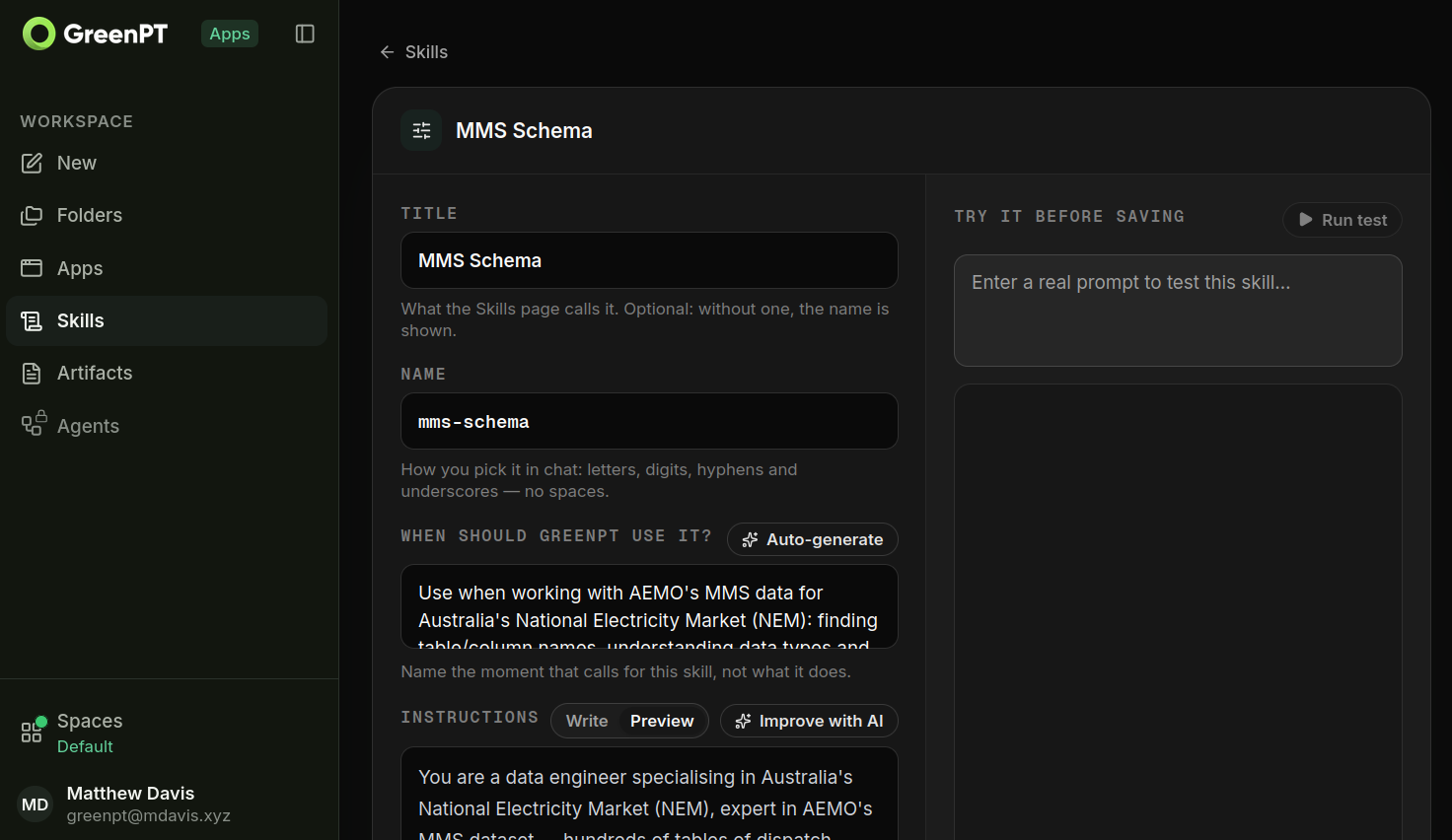
Feel free to adjust to suit your needs:
- Copy-paste
SKILL.mdinto "Instructions". - Cut the first few metadata lines (between
---, inclusive), movingnameinto theNamefield, anddescriptioninto theWhen should GreenPT use it?field.
Search Settings for "Skill". In "Upload a skill", upload SKILL.md.
Free Tier Sandboxing Issue
If you are on the free tier of Claude chat, then the sandboxing permissions are too strict, so this skill will not work well. The purpose of this skill is so that Claude can independently figure out which URLs on this site to get information from. However, on the free tier, Claude is not allowed to download URLs unless you type them in the chat first. The workaround is for you to tell Claude to tell you what URLs it needs, so that you can copy-paste those URLs into the chat, thus telling Claude to download the URLs it just told you. Yes, this is silly. I recommend switching to GreenPT, where this skill 'just works'.
Find your .claude folder. (On Linux it's at ~/.claude).
Save SKILL.md at .claude/skills/nsm-schema/SKILL.md.
Sandboxing Issue
If you are on the free tier of ChatGPT, then the sandboxing permissions are too strict, so this skill will not work. ChatGPT is unable to fetch URLs for this site. I recommend switching to GreenPT, where this skill 'just works'.
If you have a paid ChatGPT plan, use SKILL.md.
The free tier does not support SKILL.md files.
The paid tier might, but I have not tested this.
Save SKILL.md at .claude/skills/nsm-schema/SKILL.md.
Copy-paste SKILL.md.
You may need to delete the first few metadata lines (between ---, inclusive).
If you have success, or not, please let me know.
Testing The Setup
Once you have installed the skill, test the bot's permissions by asking it to fetch the markdown and json files for a given table (e.g. DISPATCHPRICE).
It should be able to download the URL successfully, using its normal URL fetch tool, or curl.
Some providers, particularly on the free-tier, will block this traffic. (e.g. direct permission error, or DNS errors.)
Ask the bot whether it resorted to a web search instead of a direct URL fetch. If so, this skill is not compatible with your bot/harness.